
Block Signals
> Train block signals and how to use them.
>Block signals are essential for the safe and efficient management of your railway network. They divide your tracks into designated sections known as "blocks." Only one train may occupy a block at any given time.
>When a train enters a block, that block becomes reserved, preventing other trains from accessing it until the section is clear. This system is designed to prevent collisions and ensure smooth train operation.
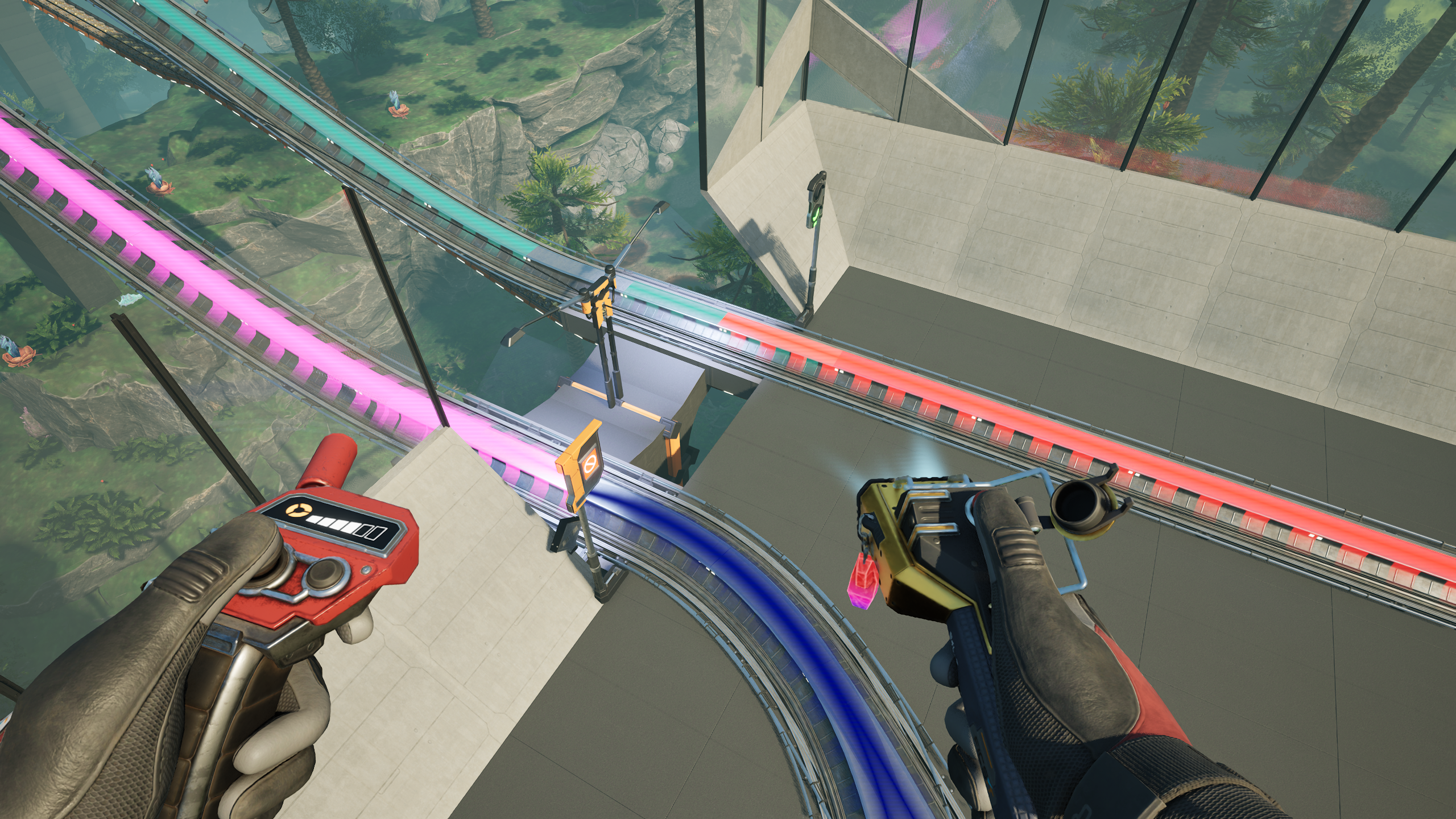
>Note: You can visually inspect your railway blocks by equipping a block signal. When active, the blocks will appear as distinct colored segments on your tracks, with each color representing a separate block. This visual aid allows for easy monitoring and maintenance of your railway system, ensuring optimal traffic flow and safety at all times.

Block Signal Placement
>When setting up your Block Signals, begin by placing one at the front and one at the back of your train stations. This strategic placement ensures that trains do not enter occupied stations, maintaining order in your rail network.
>Once your stations are secured, it's best practice to position Block Signals periodically throughout your railway system. This will allow trains to navigate freely and prevent them from becoming stuck far from their destination.
>For long stretches of track, place Block Signals every 20 to 25 foundations. This spacing ensures that trains can travel smoothly and will come to a halt when they encounter a reserved block.
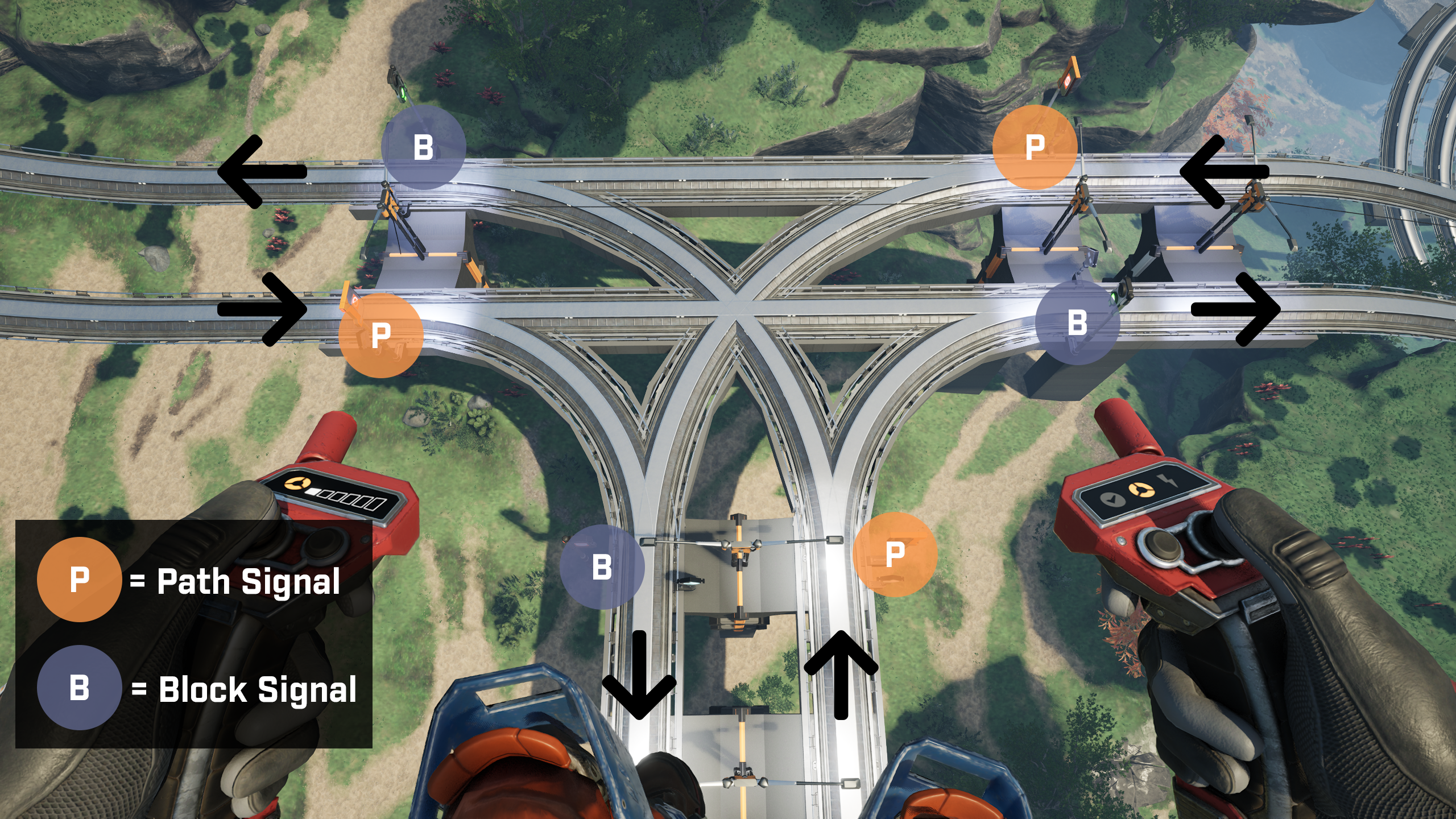
>When placing Block Signals at intersections, follow this simple guideline: install a Path Signal at every entrance to the intersection and a Block Signal at each exit. This setup enables trains to effectively plan their routes through complex intersections, preventing collisions and ensuring safe navigation.
Block Signal Images
Train Blocks
>In the image below, you will see an example of the color coded blocks used to identify where a block starts and ends.
Clear Block
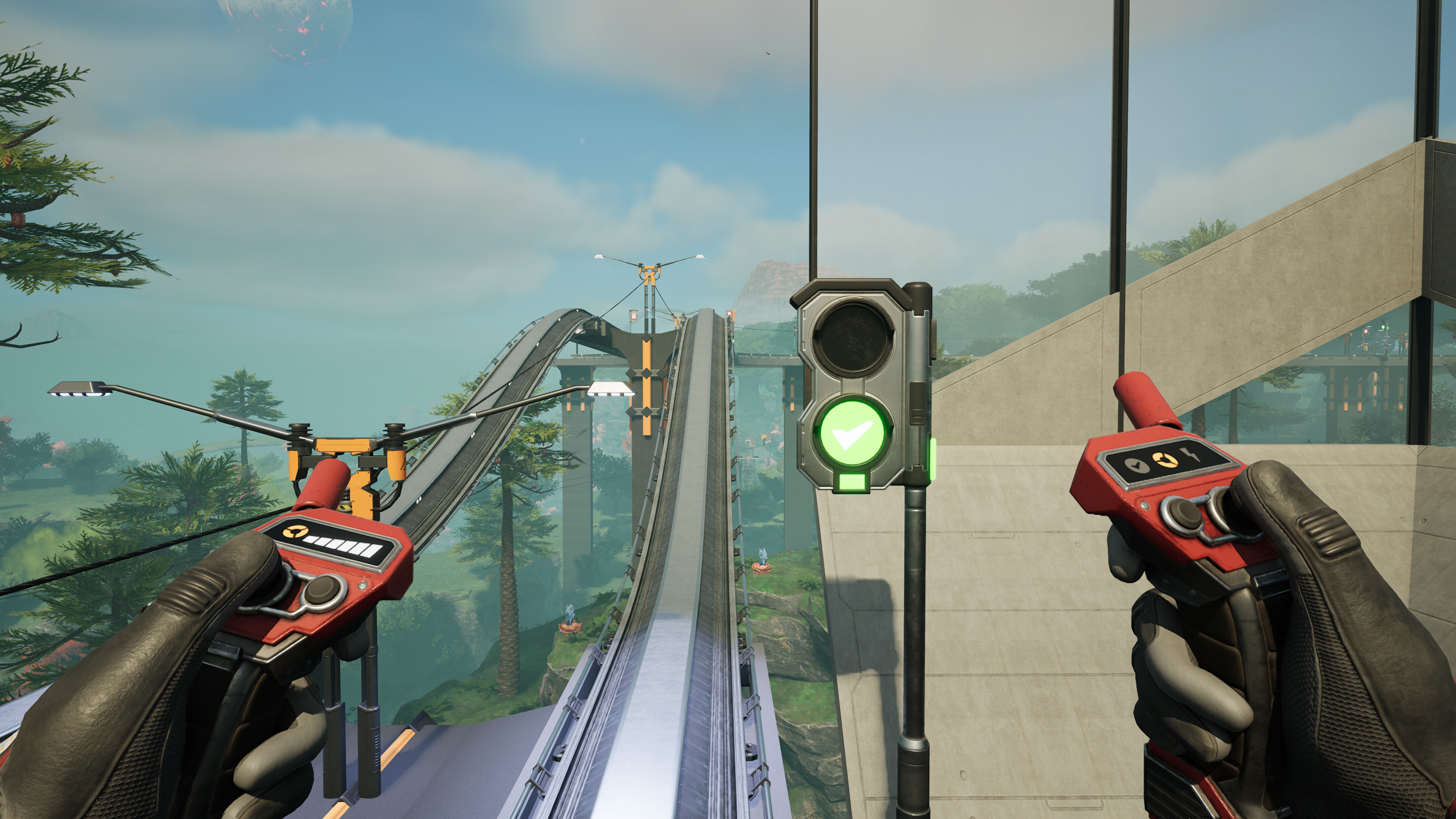
>In the image below, you will see an example of a Clear and available block that a train may pass through.
Occupied Block
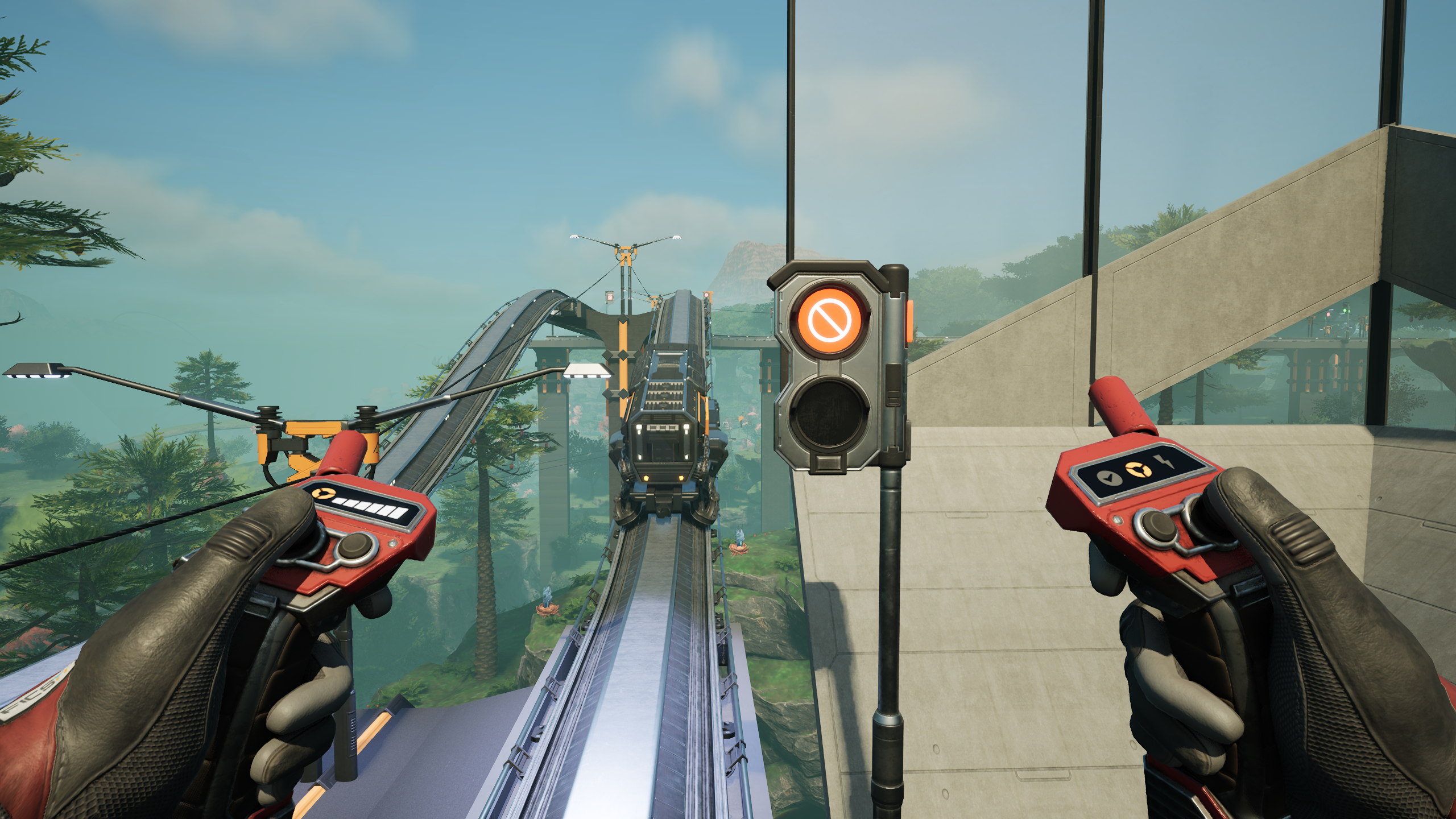
>In the image below, you will see an example of a Occupied and unavailable block that a train cannot pass through.
Block Error
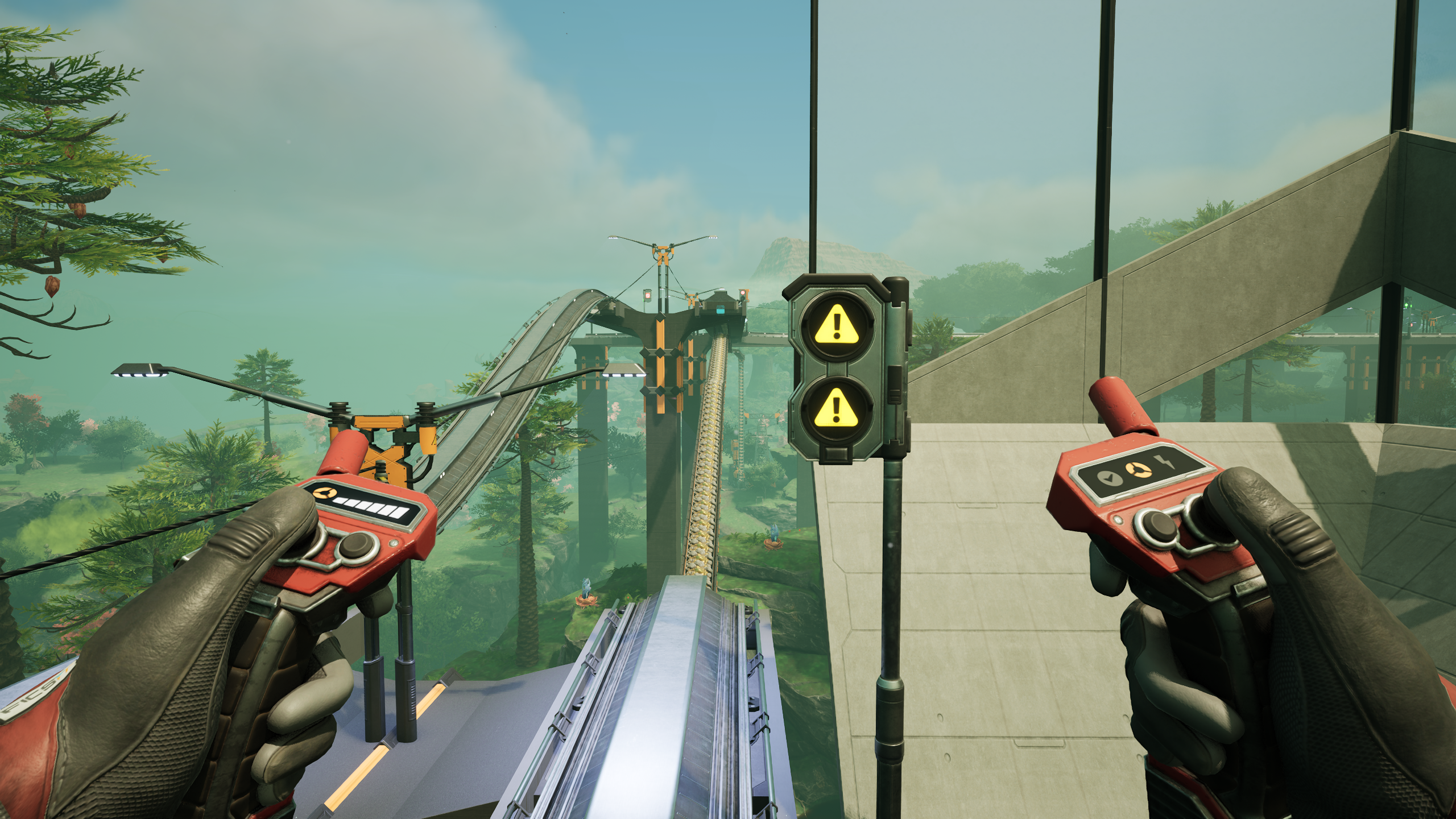
>In the image below, you will see an example of block error. If you see this signal, open up the Block Signal to determine what the error is.
Intersection Example
Support
Support The Developer
Pioneer Live Feed